Sound and jacket
Canva Magic Studio
Templates, Magic Media images, and Magic Write copy in the same place you will actually export a paperback wrap or an Instagram square. The risk is the Canva look: competent, familiar, and easy to spot. A fine way to ship a decent ebook cover or launch graphic if you push past the first template.
Best for
Authors who need a workable cover, social graphics, and a blurb draft without hiring a designer yet.
Pricing
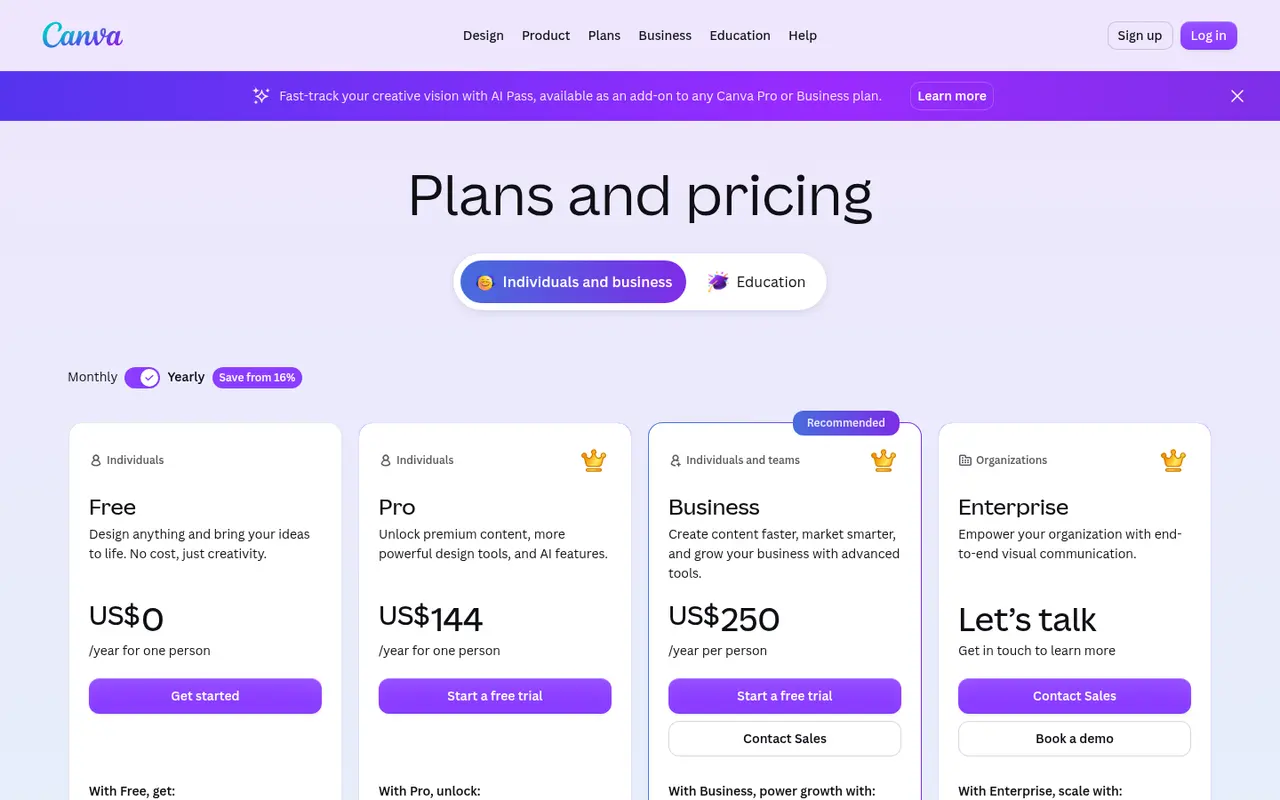
Freemium. Free plan available. Pro is US$144/year for one person; the per-person business tier is US$250/year (checked 14 October 2026). The old Magic Studio page now redirects to Canva AI.
Listing checked 14 October 2026. Plans move. The vendor's page wins an argument with this one.
In-depth review
Canva Magic Studio review
Last checked 14 October 2026 against the vendor's public pages. Prices and features change; check the vendor before you buy.
Writer's Toolbelt review
Canva Magic Studio
Canva's AI tools (formerly branded Magic Studio, now Canva AI) inside the design app authors already use for covers and social posts.
- Free plan
- Pro per year, one person
- more AI on Pro than Free (vendor)
What it is
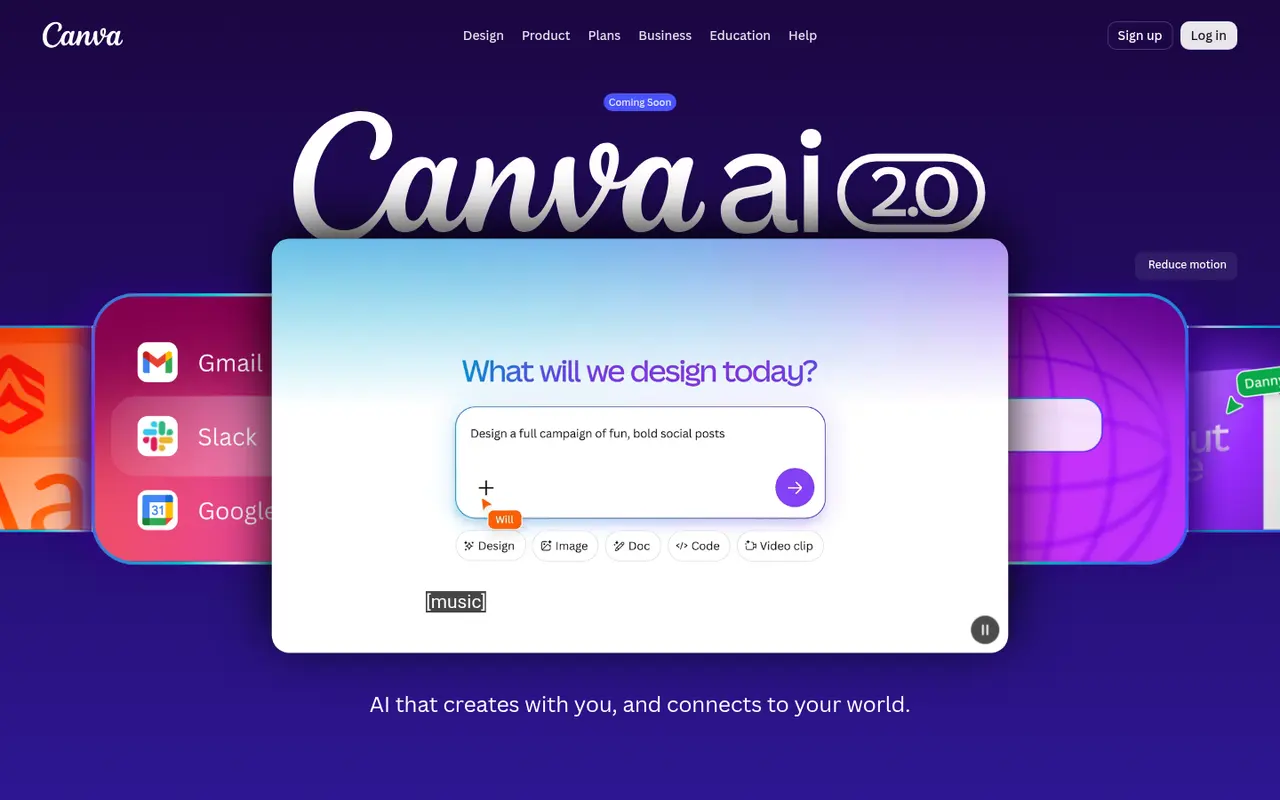
Canva is the drag-and-drop design app, and its AI features sit inside the editor. The old "Magic Studio" URL now redirects to Canva AI, where Canva advertises Canva AI 2.0 (marked "Coming Soon" when we checked) as "your creative partner, from first idea to final design". It lets you describe a design by text or voice, pulls context from connected tools, and edits by chat. Canva's pricing also mentions an AI Pass add-on for Pro and Business plans.
For authors, Canva is where covers, mockups, social graphics, ads and newsletter headers get laid out, and its AI speeds that up.
Who it's for
- Indie authors making social posts, ads, A+ content graphics and simple ebook covers.
- Authors who want templates rather than blank-canvas design.
Key features in practice
- Templates: 1.6+ million on Free and 3.6+ million on Pro, per the comparison table.
- Stock assets: 4.7+ million on Free and 141+ million on Pro.
- AI usage: Pro gets "10x more AI than Canva Free", and higher tiers get 20x. Standard, Premium and Ultra AI tools draw on a shared allowance at different rates.
- AI Pass and top-ups at extra cost.
- Cloud storage: 100GB on Pro, 500GB to 1TB on higher tiers.
- Canva AI 2.0: conversational creation and editing ("Coming Soon" at our check).
Pricing (checked 14 October 2026)
| Plan | Price (yearly) | AI |
|---|---|---|
| Free | US$0 | Basic AI allowance |
| Pro | US$144/year for one person | 10x Free AI usage; AI Pass add-on available |
| Business tier (per person) | US$250/year per person | 20x Free AI usage; AI Pass and top-ups |
| Enterprise | Contact sales | 20x Free AI usage, 1TB storage |
Yearly billing saves "from 16%". K-12 schools and not-for-profits can get most premium features free.
Pricing at a glance
- FreeEditor, 1,000+ design types, some AIFree
- ProUS$144/yr; 10x Free AI usage, 100GB$12/mo
- Business (per person)US$250/yr; 20x Free AI usage$20.83/mo
- Enterprise
Contact sales
Using it as a writer
- Start from a book-promo template and swap in your cover.
- Use AI to generate background art or variations, then lay out your title with real fonts.
- Resize for every platform (Instagram, Facebook ads, BookBub) from one design.
- Check print specs (trim, bleed, resolution) before using Canva for a print cover.
Strengths
- The easiest design tool here.
- A huge template and stock library.
- Generous free plan.
Writer's Toolbelt editorial scores
Canva Magic Studio scorecard
9.0/10
- Covers and social graphics9/10
- AI generation quality7/10
- Ease of use10/10
- Templates10/10
- Value for money9/10
Weaknesses
- AI allowances are shared and tiered, so heavy users may need AI Pass.
- The rebrand from Magic Studio to Canva AI can be confusing.
- Advanced print covers may still need a designer.
How it compares
- Canva vs Adobe Firefly. Firefly is stronger for raw generation and editing.
- Canva vs Ideogram. Ideogram renders text inside generated images.
- Canva vs Midjourney. Midjourney is for artwork, while Canva is for layout.
Feature comparison
AI image and cover tools compared
| Feature | Adobe Firefly | Ideogram | Midjourney | Leonardo.Ai | Canva Magic Studio |
|---|---|---|---|---|---|
| Free plan | Yes | Yes | No | Yes | Yes |
| Lowest listed paid price | Yes$10 | Yes$15 | Yes$8 | Yes$12 | Yes$12 |
| All paid tiers have published prices | Yes | PartlySome tiers: contact sales or check vendor site | Yes | Yes | PartlySome tiers: contact sales or check vendor site |
| Competes with ProseEngine (we disclose) | No | No | No | No | No |
Verdict
For authors, Canva is the default place to finish promo graphics, and its AI features are a convenient bonus. Pro at US$144 a year is good value if you post often.
FAQ
Is Canva free? Yes, with a basic AI allowance.
How much is Canva Pro? US$144 a year for one person as of 14 October 2026.
What happened to Magic Studio? Its page now redirects to Canva AI, where Canva is promoting Canva AI 2.0.
Nearby on the shelf
Audiobooks and covers
Adobe Firefly
Generative image tools trained with an eye on licensed stock, and wired into Photoshop. That does not make every output a cleared book cover, but the paper trail is easier to explain to a publisher than a random model checkpoint. The pictures can look like stock. Sometimes that is what a nonfiction cover wants.
Best for Authors already in Photoshop who want generative fills and a more legible commercial story.
FreemiumFiction and nonfictionAudiobooks and covers
Descript
Edit recorded audio by editing the transcript. Cut a retake by deleting a sentence. Overdub can patch a flubbed word in your own voice, which is either a gift or a temptation depending on how honest the recording should stay. Built for people who record themselves, not for fully synthetic casts.
Best for Authors who record their own audiobook or podcast and want to edit sound the way they edit a document.
FreemiumFiction and nonfictionAudiobooks and covers
ElevenLabs
The narration tool writers mean when they say the voice finally sounds human. You can clone a voice or cast from a library and generate chapter audio. Credits disappear on long books, and a retail audiobook has legal and quality bars this preview does not clear by itself. Read the license before you sell anything.
Best for Audiobook prototypes and performance-quality narration, after you have read the commercial terms.
FreemiumFiction and nonfiction