Getting words down
ChatGPT
The general assistant most writers already have open. Useful for brainstorming, blurb variants, and line rewrites if you paste the scene and say what you want. It does not hold a novel together unless you build that memory yourself with projects or files, and it will invent sources if you let it.
Best for
Writers who want one flexible assistant and will bring their own outline, pages, and skepticism.
Pricing
Freemium. Free tier with limits. Plus and higher plans add stronger models, tools, and higher caps.
Listing checked 14 October 2026. Plans move. The vendor's page wins an argument with this one.
In-depth review
ChatGPT review
Last checked 14 October 2026 against the vendor's public pages. Prices and features change; check the vendor before you buy.
Disclosure: The person who runs Writer's Toolbelt also makes ProseEngine, an AI fiction-writing app that competes with ChatGPT. This review sticks to verifiable facts and links its sources below.
Writer's Toolbelt review
ChatGPT
The general-purpose assistant most writers already have open. Huge range, no story memory unless you build it.
- individual plans (Free, Go, Plus, Pro)
- to start on the Free plan
- Instant context window on Pro (tokens)
What it is
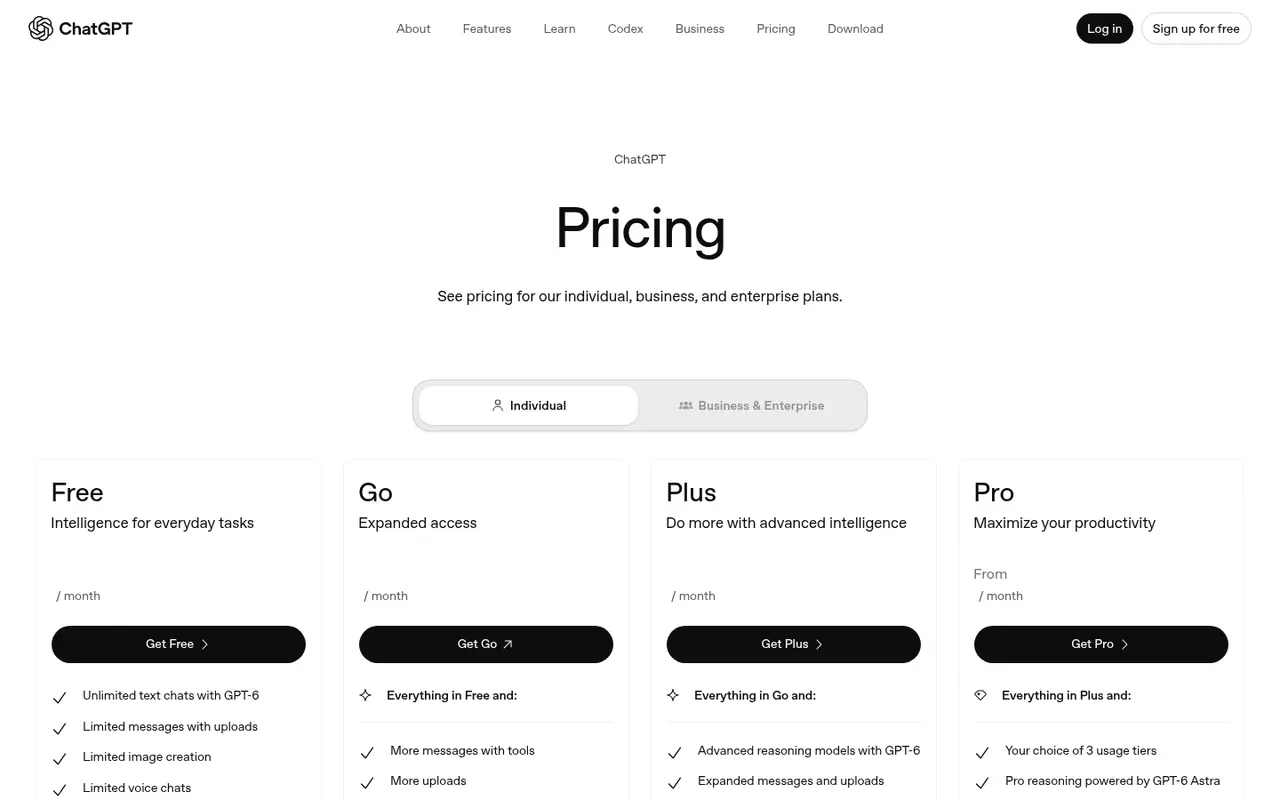
ChatGPT is OpenAI's general-purpose AI assistant on the web, desktop and mobile. On 14 October 2026 the pricing page listed unlimited text chats with GPT-6 on the free plan, with advanced reasoning models, deep research, projects, custom GPTs, image creation, voice and the Codex and ChatGPT Work agents unlocked progressively on paid plans.
For writers it is the Swiss Army knife: brainstorming, outlining, line-level feedback, blurbs, research summaries, even cover concepts through image creation. What it is not is a manuscript workspace. It doesn't know your book unless you give it the context.
Who it's for
- Almost every writer, as a second tool. The free plan is enough to test whether AI helps your process at all.
- Nonfiction writers and researchers. Deep research, file uploads and data analysis are strong reasons to pay.
- Fiction writers who don't want a dedicated app. Projects and memory help, but you manage the context yourself.
Key features in practice
- Models by plan. Free includes GPT-6 Luna and unlimited text chats "subject to abuse guardrails". Plus adds advanced reasoning (GPT-6 Astra and Sol). Pro adds "Pro reasoning" and the largest context.
- Context and input size. The comparison table lists approximate input maximums for GPT Instant of ~12 pages of text on Free, ~40 on Go and Plus, and ~250 on Pro. Reasoning models accept ~320 pages on Go and Plus and ~680 on Pro. That matters if you paste in whole chapters.
- Projects and memory. Projects are available on every plan. Memory is limited on Free and expanded on Plus and Pro, which helps keep a series bible handy.
- Deep research. Limited on Free and Go, full on Plus, maximum on Pro. It is useful for nonfiction background and historical detail, but check every citation.
- Image creation. Limited on Free, more on Go, and "more complex and accurate" on Plus.
- Custom GPTs and plugins. You can build a reusable "editor" or "beta reader" GPT with your style guide.
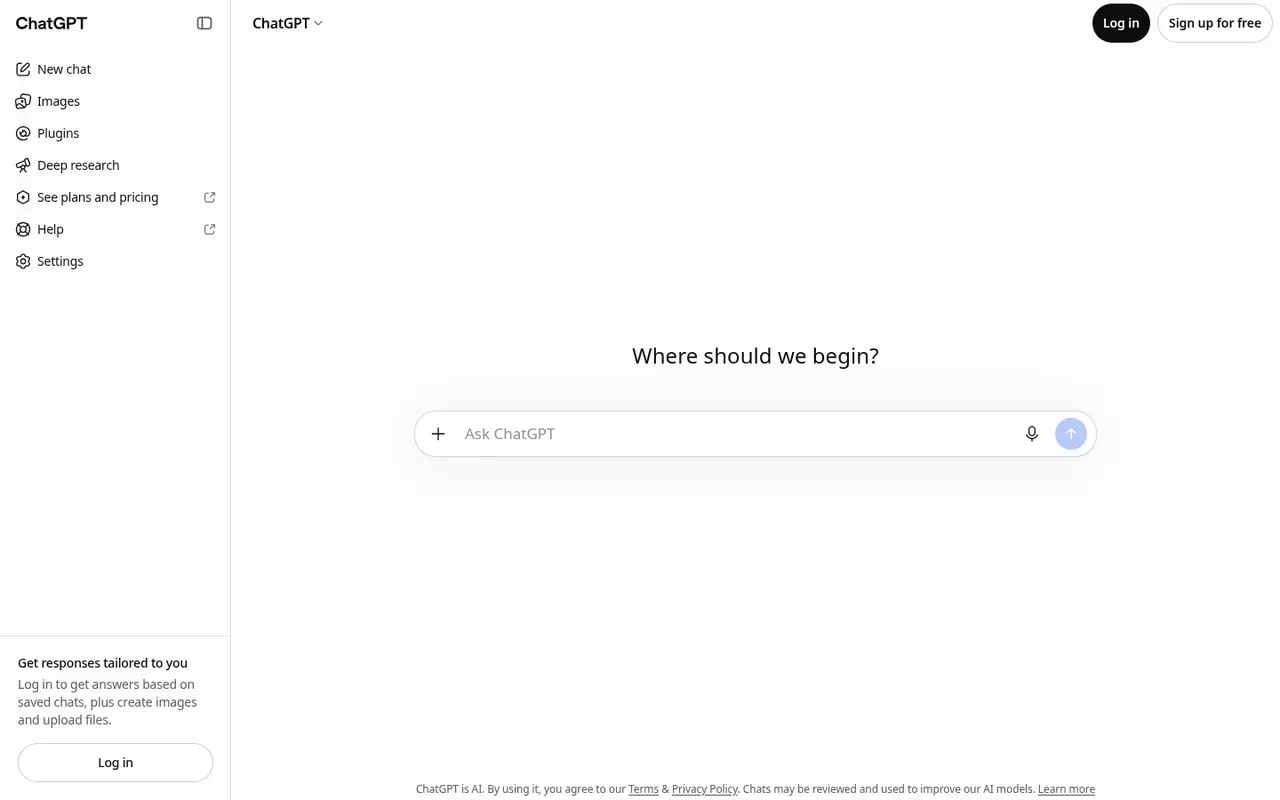
- Data use. The home page states: "Chats may be reviewed and used to improve our AI models." Check the data controls before pasting unpublished work.
Pricing (checked 14 October 2026)
| Plan | Price | Highlights |
|---|---|---|
| Free | $0 | Unlimited text chats with GPT-6; limited uploads, images, voice, deep research, memory |
| Go | Check vendor site | More messages with tools, uploads, images, voice, longer memory; "may include ads" |
| Plus | Check vendor site | Advanced reasoning, expanded deep research, projects, scheduled tasks, custom GPTs, Office and Sheets extensions |
| Pro | "From" a starting price; check vendor site | Three usage tiers, Pro reasoning, maximum context and research |
OpenAI says paid plans are priced per user per month. Go, Plus and Business are billed monthly, and Business and Enterprise also come as annual plans.
Pricing at a glance
- FreeUnlimited text chats with GPT-6Free
- Go
Paid; check vendor site (may include ads)
- Plus
Paid; check vendor site
- Pro
Paid, three usage tiers; check vendor site
Using it as a writer
- Make a project per book. Upload your synopsis, character list and style notes, and work inside that project so the context travels with you.
- Ask for options, not answers. "Give me ten ways this scene could end" is more useful than "write the ending". Choose, then write it yourself.
- Use it as a hostile reader. Paste a chapter and ask where a reader would get confused or bored. It is often right about clarity, and often wrong about taste.
- Verify research. Deep research is fast, but treat every claim and citation as a lead to check, not a fact.
- Protect unpublished work. Review the data controls first. If you don't want chats used for training, change that setting before uploading a manuscript.
Strengths
- Free entry point with a capable model.
- Range. Drafting, editing, research, images and voice in one place.
- Large context on paid plans for long manuscripts.
- Projects and custom GPTs let you build lightweight writing workflows.
Writer's Toolbelt editorial scores
ChatGPT scorecard
7.2/10
- Drafting and brainstorming8/10
- Editing and feedback7/10
- Research8/10
- Fiction-specific workflow4/10
- Value for money9/10
Weaknesses
- No manuscript structure. There are no chapters, codex or continuity tracking as in Sudowrite or Novelcrafter.
- Generic default voice. Unedited output is recognisable. You have to steer it hard.
- Plan details change often, including models, limits and ads on Go.
- Training on chats by default on consumer plans, per the home page notice.
How it compares
- ChatGPT vs Claude. Both are general assistants with similar plan shapes. Writers often prefer one model's prose style, so try both on the same scene. See ChatGPT vs Claude.
- ChatGPT vs Gemini. Gemini ties into Google Docs and Drive, while ChatGPT has the broader plugin and GPT ecosystem.
- ChatGPT vs Sudowrite or Novelcrafter. The dedicated apps keep your story bible attached to every request. ChatGPT is more flexible and cheaper if you already pay for it.
Feature comparison
General AI assistants compared
| Feature | ChatGPT | Claude | Gemini | HyperWrite | Notion AI |
|---|---|---|---|---|---|
| Free plan | Yes | Yes | Yes | Yes | Yes |
| Lowest listed paid price | Not listed | Yes$17 | Yes$4.99 | Yes$16 | Yes$10 |
| All paid tiers have published prices | PartlySome tiers: contact sales or check vendor site | PartlySome tiers: contact sales or check vendor site | Yes | Yes | PartlySome tiers: contact sales or check vendor site |
| Competes with ProseEngine (we disclose) | Yes | Yes | Yes | Yes | Yes |
Verdict
Every writer should know what ChatGPT can do, and the free plan is the place to find out. Pay for Plus if you lean on research, long context or projects. For novel drafting with continuity, pair it with, or replace it by, a dedicated fiction workspace.
FAQ
Is ChatGPT free? Yes. The free plan includes unlimited text chats with GPT-6, subject to OpenAI's guardrails, with limits on uploads, images, voice and research.
How much does ChatGPT Plus cost? The price was not shown in our captures and varies by country. Check chatgpt.com/pricing.
Will OpenAI train on my manuscript? The home page says chats may be reviewed and used to improve models. Check and adjust your data controls before uploading unpublished work.
Can it read a whole novel? Paid plans accept far larger inputs. OpenAI lists roughly 320 pages for reasoning models on Go and Plus, and about 680 on Pro.
Nearby on the shelf
Drafting
Claude
A general assistant that writers often prefer for long passages, tone, and a calmer revision pass. Projects can hold notes and chapters you upload. It is still a chat, not a novel app: continuity across a whole book is only as good as the pages you put in front of it.
Best for Drafting and revision when you want a careful reader more than a plot machine.
FreemiumFiction and nonfictionDrafting
Gemini
Google's assistant, practical if your research and drafts already live in Docs or Drive. It will brainstorm and rewrite like the other general models, with the same habit of sounding finished before the thinking is. For source-grounded reading, NotebookLM is the closer sibling and is listed on its own.
Best for Writers already working in Google's tools who want a second model without a new app.
FreemiumFiction and nonfictionDrafting
HyperWrite
A browser assistant for rewriting sentences and producing short drafts in the page you are already on. It is built for emails, posts, and articles more than for an 80,000-word novel. Fine as a line-level spare, not as the place you keep the book.
Best for Short-form drafts and quick rewrites, especially outside a dedicated writing app.
FreemiumNonfiction