Getting words down
Sudowrite
A fiction workspace rather than a blank chat. Sudowrite keeps a story bible and offers brainstorming, description, continuation, and rewrite tools aimed at novels and screenplays. Credits run out, and the prose still needs a human pass for plot decisions and voice.
Best for
Novelists who want fiction-specific drafting tools inside the manuscript, with usage included in the subscription.
Pricing
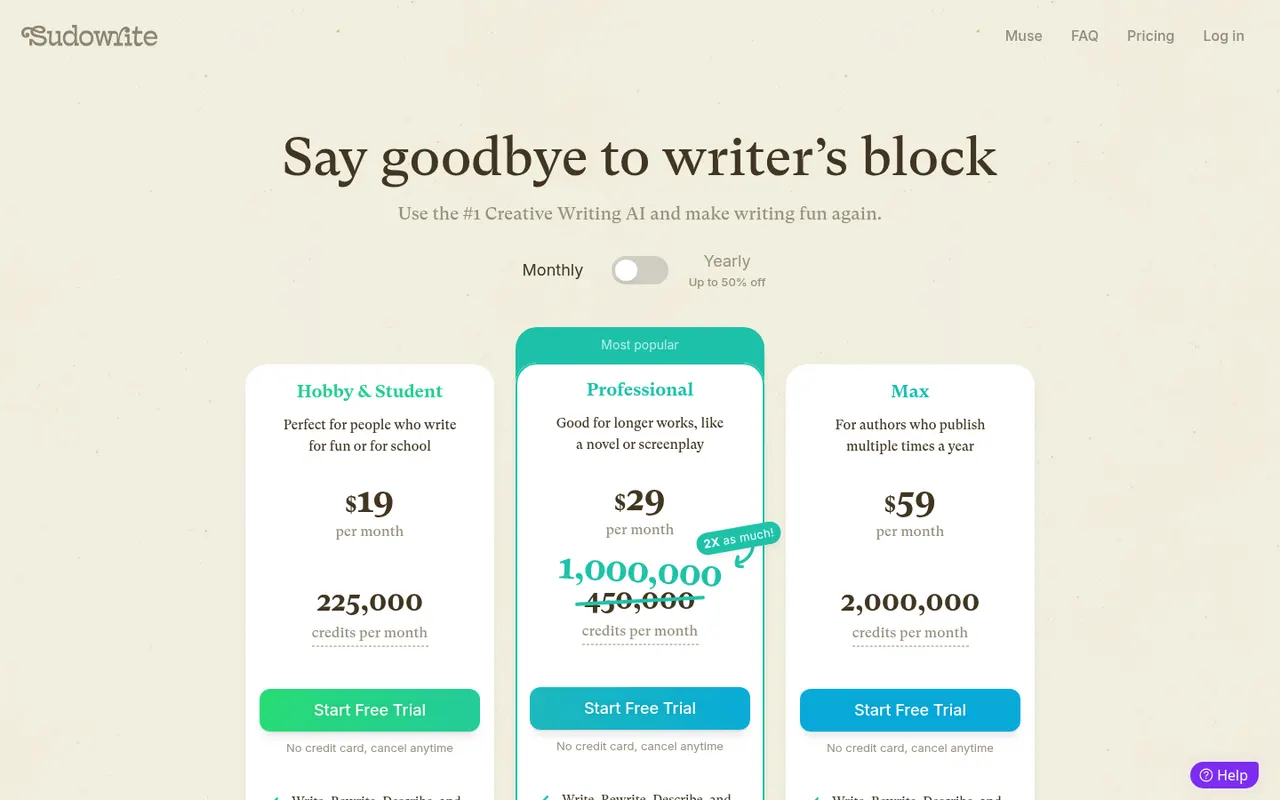
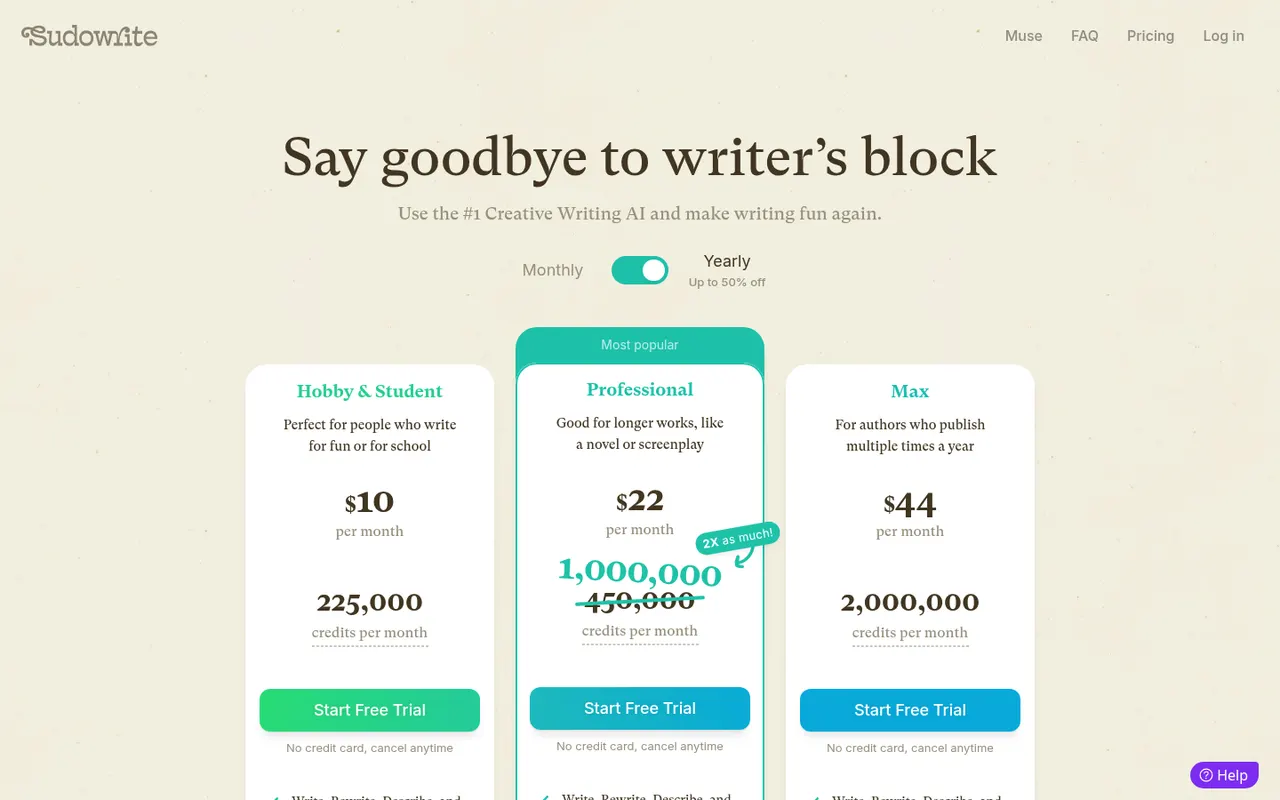
Subscription. Credit-based subscription: $19, $29 or $59 a month billed monthly, or $10, $22 or $44 a month billed yearly (checked 14 October 2026). Free trial with no credit card; no lasting free plan.
Listing checked 14 October 2026. Plans move. The vendor's page wins an argument with this one.
In-depth review
Sudowrite review
Last checked 14 October 2026 against the vendor's public pages. Prices and features change; check the vendor before you buy.
Disclosure: The person who runs Writer's Toolbelt also makes ProseEngine, an AI fiction-writing app that competes with Sudowrite. This review sticks to verifiable facts and links its sources below.
Writer's Toolbelt review
Sudowrite
The turnkey fiction AI. One subscription, curated tools, zero setup.
- AI models on every plan
- community plugins (vendor figure)
- entry plan per month, billed monthly
What it is
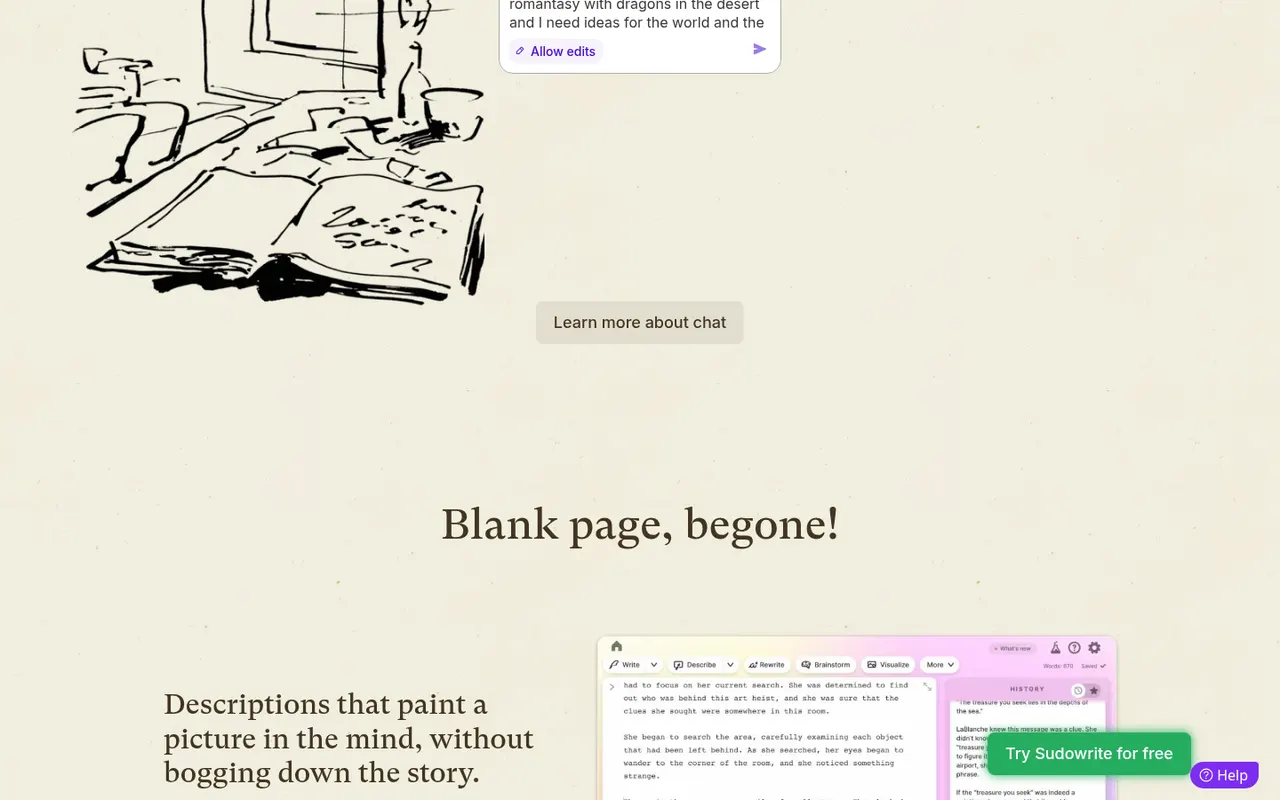
Sudowrite is a browser-based writing app built specifically for fiction. Instead of a blank chat box, you get a manuscript editor with a set of named AI tools sitting around it: Write (continue the text), Describe, Expand, Rewrite, Brainstorm, Feedback, a planning Canvas, and a Story Bible that carries your characters, outline and style from idea to chapter drafts. It also has a chat mode "built with novelists in mind" and a plugin library that the company says has more than 1,000 community plugins.
The company was founded by writers Amit Gupta and James Yu. Under the hood it routes work to many models: its FAQ names Anthropic's Claude models, several OpenAI models, open-source models, and its own fiction-tuned models called Muse and Ballad (the home page currently promotes Muse 1.5).
Who it's for
Sudowrite fits novelists, and to a lesser extent screenwriters, who want AI help inside the draft without assembling their own toolchain. If you don't want to think about API keys, model names or prompt templates, this is the most turnkey option in our directory. The pricing page itself frames the tiers by writer type: hobby and student writers, people working on "a novel or screenplay", and authors who "publish multiple times a year".
It is a weaker fit for nonfiction writers, for anyone who needs to pick an exact model for privacy or cost reasons, and for writers who want a heavy-duty outlining database first and AI second.
Key features in practice
- Story Bible. The backbone of a project. Sudowrite describes it as taking you "step-by-step from idea, to outline, to beating out chapters, to 1,000s of words, in your style." In practice this is where you store characters, worldbuilding and a chapter outline so the generators have context. All paid tiers list "ensure continuity across a series".
- Write. Autocomplete for prose. Per the vendor, it reads your characters, tone and plot arc and offers roughly the next 300 words, with several alternatives to choose from.
- Describe and Expand. Describe produces sensory description for a selected word or moment. Expand lengthens a rushed passage to slow down the pacing.
- Rewrite. Rewrites a selection to your direction, with presets such as "more show, not tell" or "more inner conflict".
- Feedback. Returns five actionable areas to improve on a passage. The Professional and Max tiers add developmental edits, line edits and beta reads.
- Canvas and Brainstorm. A visual space for alternate plot points, character secrets and twists, plus a list generator for names, items and titles that learns from the ideas you thumbs-up.
- Match your style. Every tier lists style matching, so generated text can follow your existing voice.
- Plugins. Community-built tools that, for example, simulate readers, let you talk to characters, or convert a novel into a screenplay.
Text output still needs a human editor. Every AI writing tool can produce generic phrasing and continuity slips, and Sudowrite's own FAQ frames it as a tool that helps you write, not one that writes for you.
Pricing (checked 14 October 2026)
Sudowrite sells credit-based subscriptions, with a free trial that needs no credit card. The pricing page opens with yearly billing selected and advertises "up to 50% off" for paying annually.
| Plan | Billed monthly | Billed yearly (per month) | Monthly credits | Notes |
|---|---|---|---|---|
| Hobby & Student | $19 | $10 | 225,000 | Core tools, style matching, series continuity, Muse & Ballad, 30+ other models |
| Professional | $29 | $22 | 450,000, currently promoted as 1,000,000 ("2X as much!") | Adds developmental edits, line edits, beta reads |
| Max | $59 | $44 | 2,000,000 | Everything above; unused credits roll over for 12 months |
Pricing at a glance
Billed monthlyBilled yearly
- Hobby & Student225,000 credits/mo$19/mo$10/mo
- Professional450,000 credits/mo (promoted as 1,000,000)$29/mo$22/mo
- Max2,000,000 credits/mo, 12-month rollover$59/mo$44/mo
The home page says "$10/month after free trial", which is the yearly-billing rate. If you cancel, the FAQ says you keep access to your projects but lose the AI features. Sudowrite says it claims no rights over what you write or generate, and that it does not use your writing to train its own or OpenAI's models.
Writer's Toolbelt editorial scores
Sudowrite scorecard
7.0/10
- Ease of setup9/10
- Fiction-specific tools9/10
- Planning & story bible7/10
- Model & prompt control4/10
- Value for money6/10
Strengths
- Purpose-built for fiction. Every tool is named and shaped around a fiction task, so there is less prompting to learn than with a general chatbot.
- One bill, no keys. Model access is bundled into the subscription. You never manage API accounts.
- Fiction-tuned models (Muse and Ballad) alongside mainstream ones.
- Generous trial and easy cancellation. No card is needed for the trial, and the company advertises an "EZ Cancel Guarantee" with pausing and downgrades.
- Clear ownership and training statements in the public FAQ.
Weaknesses
- Credits are a meter. Heavy drafting sessions burn credits, and only the Max tier rolls unused credits over.
- Less control over models and prompts than Novelcrafter. You can't bring your own key or run a local model.
- No permanent free plan. After the trial, AI features need a subscription.
- Fiction only, in practice. Nonfiction and research writers will find many tools irrelevant.
- Language support is uneven. The FAQ says Write follows the language you write in, but other features "may fall back on English".
How it compares
- Sudowrite vs Novelcrafter. Novelcrafter is the "control" option: a cheaper base subscription, a deep codex, and you connect your own AI provider (or a local model) and pay that provider separately. Sudowrite is the "convenience" option: one price, curated tools, no setup. See our Sudowrite vs Novelcrafter comparison.
- Sudowrite vs NovelAI. NovelAI leans toward open-ended storytelling and image generation with its own models. Sudowrite is more structured around manuscripts, outlines and revision. See Sudowrite vs NovelAI.
- Sudowrite vs a general chatbot (ChatGPT or Claude). A chatbot is cheaper if you already pay for one and is better for research. But you have to paste in your own context every time, while Sudowrite's Story Bible keeps that context attached to the project.
Feature comparison
Sudowrite vs Novelcrafter at a glance
| Feature | Sudowrite | Novelcrafter |
|---|---|---|
| AI models included in the price | Yes30+ models plus Muse & Ballad | NoBring your own key |
| Bring your own API key | Not listed | YesHobbyist and up |
| Local models | Not listed | YesLocal AI support |
| Story bible / codex | YesStory Bible | YesCodex with progressions and relations |
| Series continuity | YesAll plans | YesShared codex across a series |
| Editable prompts with preview | PartlyVia plugins | YesCustom prompts and prompt preview |
| Editorial feedback tools | YesDev edits, line edits, beta reads (Professional+) | PartlyWorkshop chat; advanced review marked planned |
| Plan without AI | No | YesScribe, $4/mo |
| Team collaboration | Not listed | YesSpecialist plan |
| Free trial, no card | YesTrial length not stated | Yes21 days |
Verdict
Sudowrite is the easiest way for a novelist to get capable, fiction-specific AI help inside a real manuscript. The trade is control: you accept its credit meter and its choice of models in exchange for zero setup. If you want to tinker with prompts and providers, look at Novelcrafter. If you want to open a project and start drafting today, start the free trial here.
FAQ
Is there a free version of Sudowrite? There is a free trial with no credit card required, but no lasting free plan. Without a paid plan you can still open your projects, but the AI features are off.
Does Sudowrite own what I write? No. Its FAQ says it claims no rights over anything you put in or anything it generates for you.
Does Sudowrite train AI on my manuscript? Its FAQ says it does not use your writing to train Sudowrite's or OpenAI's models.
Which AI models does it use? A mix: Claude models, several OpenAI models, open-source models, and its in-house fiction models Muse and Ballad. The pricing page lists "+30 industry-leading models".
Can I write in languages other than English? Partly. Write matches the language of your text, but other features may fall back to English.
Nearby on the shelf
Drafting
ChatGPT
The general assistant most writers already have open. Useful for brainstorming, blurb variants, and line rewrites if you paste the scene and say what you want. It does not hold a novel together unless you build that memory yourself with projects or files, and it will invent sources if you let it.
Best for Writers who want one flexible assistant and will bring their own outline, pages, and skepticism.
FreemiumFiction and nonfictionDrafting
Claude
A general assistant that writers often prefer for long passages, tone, and a calmer revision pass. Projects can hold notes and chapters you upload. It is still a chat, not a novel app: continuity across a whole book is only as good as the pages you put in front of it.
Best for Drafting and revision when you want a careful reader more than a plot machine.
FreemiumFiction and nonfictionDrafting
Gemini
Google's assistant, practical if your research and drafts already live in Docs or Drive. It will brainstorm and rewrite like the other general models, with the same habit of sounding finished before the thinking is. For source-grounded reading, NotebookLM is the closer sibling and is listed on its own.
Best for Writers already working in Google's tools who want a second model without a new app.
FreemiumFiction and nonfiction