After the draft exists
Paperpal
An academic writing assistant from Cactus Communications. It checks grammar, paraphrases, cites, chats with PDFs, and runs plagiarism and submission checks. The free plan is real and capped. The annual cards print two dollar figures, and the FAQ says the price depends on the region, so confirm the charge before you pay. It is built for papers and theses, not for a novel.
Best for
Researchers and students who want academic language help, citations, and a submission check in the document they already use.
Pricing
Freemium. On 26 October 2026 the pricing page, annual tab, showed Prime at $8.40/month ($100.80 billed annually; $144 struck through) and Pro at $20.30/month ($243.60 billed annually; $348 struck through). The monthly tab showed Prime $25 and Pro $59. The FAQ says prices are region-specific.
Checked 26 October 2026. Plans move. The vendor's page wins an argument with this one.
Good to know
At a glance
- Availability
- The data-security page says scholars in over 125 countries. The FAQ says pricing is region-specific and that student discounts exist. Country blocks: not stated.
- Platforms
- Web, a Microsoft Word add-in, and Chrome and Edge extensions. The extensions list Google Docs and Overleaf.
- Languages
- The home FAQ says you can prompt and receive output in 50+ languages, including a “Reply in [Language]” instruction.
- Launched
- Launched not stated
- Independent reviews
- The Effortless Academic published “Paperpal AI: 2026 Review for Researchers” (published 16 December 2025, updated 4 October 2026).
- AI training and retention
- The home FAQ and the data-security page say your documents are never used to train models, including on the free plan. The Cactus privacy policy does not discuss model training. It keeps personal information while an account is active, or as needed for the service or the law.
In-depth review
Paperpal review
Last checked 26 October 2026 against the vendor's public pages. Prices and features change; check the vendor before you buy.
Writer's Toolbelt review
Paperpal
An academic writing assistant for grammar, citations, PDF chat, and submission checks. The dollar amount depends on the billing toggle and the region.
- free plan
- Prime per month, monthly tab
- Prime per month, annual tab
What it is
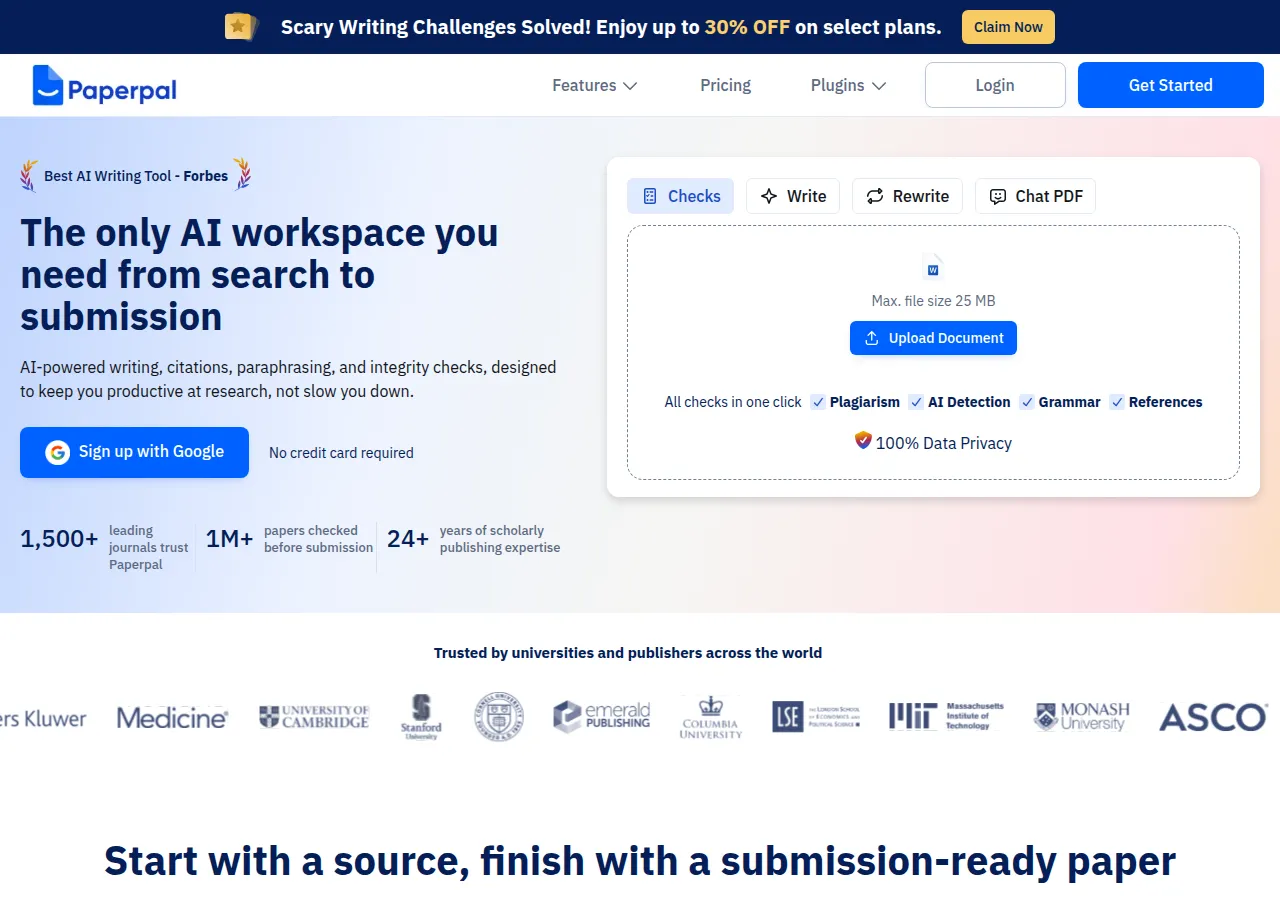
Paperpal is an AI academic writing assistant from Cactus Communications. The home page calls it the workspace "from search to submission": writing, citations, paraphrasing, and integrity checks. It is not a novel studio. The home FAQ says it is built for academic writing, backed by "24+ years of STM expertise" and "trained on published research articles." That 24 years is the company's scholarly-publishing claim. The pages we read do not give a launch month for the product itself.
You can open it on the web, in Microsoft Word, in a Chrome or Edge extension, and in Google Docs or Overleaf through those extensions. Sign-up on the home page offers Google and says no credit card is required.
The home page prints three vendor figures: "1,500+ leading journals trust Paperpal", "1M+ papers checked before submission", and the 24-year line. The pricing page adds "Trusted by 5M+ researchers and students worldwide" and "Perfected 10B+ words of academic text." We did not audit those counts.
Who it's for
- Researchers and students drafting papers, theses, and coursework who want language suggestions that aim at academic English rather than a marketing tone.
- Writers who already live in Word, Google Docs, or Overleaf and do not want a separate manuscript desk.
- People who need a citation pass and a plagiarism or AI-text scan before they upload to a journal or a course site.
It is a weak fit for fiction. Nothing on the pages we read is a story bible, a scene outline, or a continuity check. A novelist who wants those should look at a fiction tool. A novelist who only wants the query letter proofread could use the free grammar cap and stop there.
Key features in practice
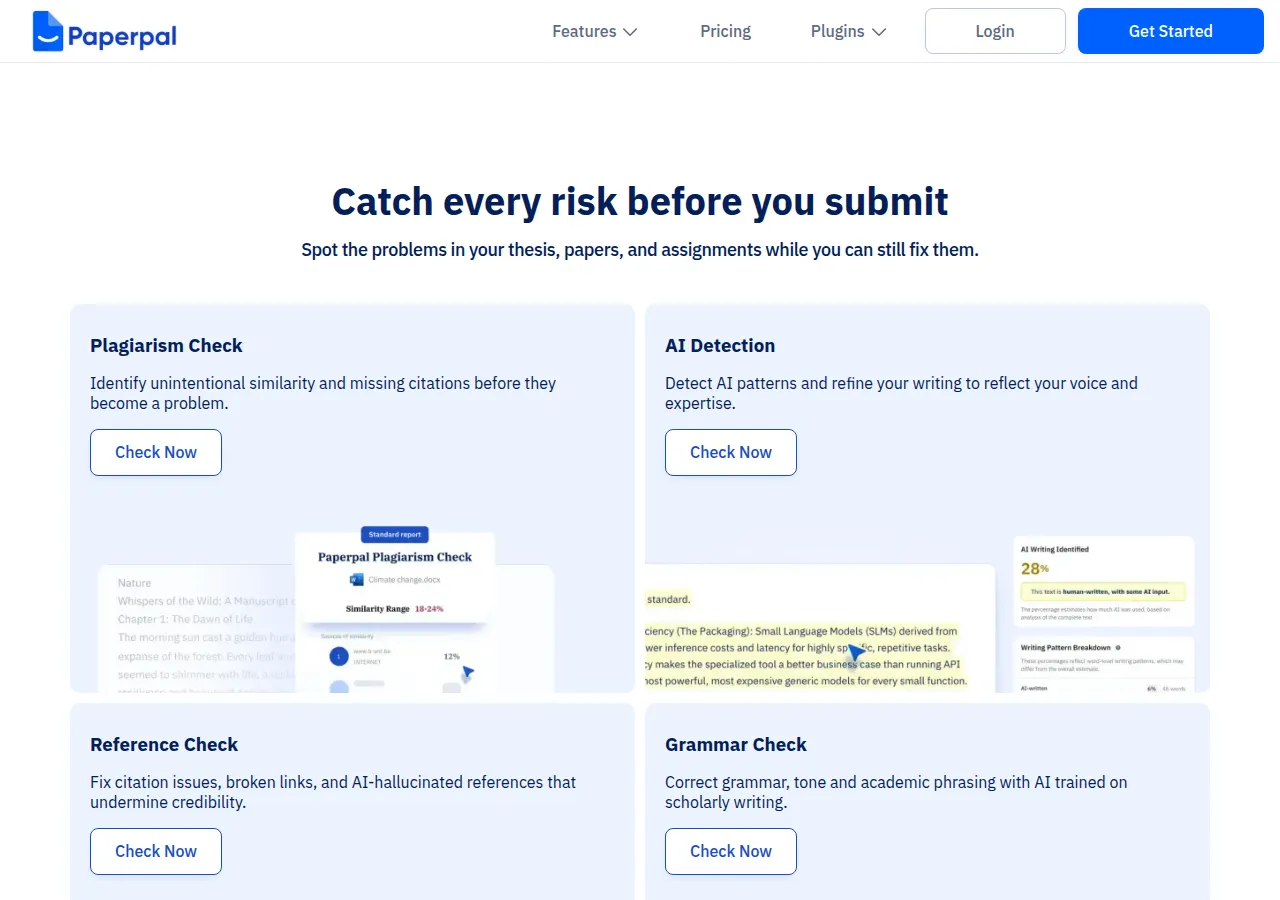
The home page groups the work into three moves: bring in sources, write with context, and submit with a check. The pricing cards, read on 26 October 2026, split the same idea into checks, agents, writing, research, and a beta illustration tool.
- Language edits. Free is "200 edits / mo" of grammar on the pricing card. The home FAQ says the same cap as "up to 200 language suggestions per month" for grammar, word choice, punctuation, clarity, and consistency. Prime raises that to 20,000 edits a month and adds a consistency check. Pro says unlimited edits.
- Generative help, metered by the day or the month. Free is 5 a day for paraphrase, trim, translate, and AI review. Prime is 500 a month. Pro says unlimited. The FAQ says Translate supports 50+ languages, and a separate answer says you can prompt and receive output in 50+ languages by adding "Reply in [Language]".
- Research and the library. The home page says you can ask questions of "300M+ verified research articles." The free-plan FAQ says the Research feature draws on "250M+ verified sources," with 5 uses a day, and that you can chat with up to 5 PDFs a month. Those two source counts are both on the site. We are not picking one. Prime's card says 500 research questions a month, 150 PDF chats, and 2 GB of library storage. Pro says unlimited research questions, 500 PDF chats, and 10 GB.
- Citations. The FAQ says citation generation is unlimited on the free plan, in APA, MLA, AMA, Chicago, and "10,000+ other citation styles."
- Integrity checks. The FAQ says the free plagiarism scan covers up to 7,000 words a month against "99B+ webpages," and AI detection is up to 5 scans a day, up to 1,200 words a scan. Prime's card lists 10,000 plagiarism words, 25,000 AI-detection words, and 10,000 reference-check words a month. Pro lists 30,000 plagiarism words, unlimited AI detection, and 30,000 reference-check words. The FAQ says reference checks, the pass for broken links and made-up citations, are Prime-only. A free "submission readiness" summary covers "30+ language and technical checks."
- Agents and Illustrate. The pricing cards label Agents as new. Free is "limited usage," Prime is "10X more usage," and Pro is "Unlimited Usage (Promotional Period)." Illustrate is marked beta: limited figure generation and PNG download on Free, full generation and SVG export on Prime, and a "custom expert-designed illustration" line on Pro. The page does not define what the agent quota counts.
Pricing (checked 26 October 2026)
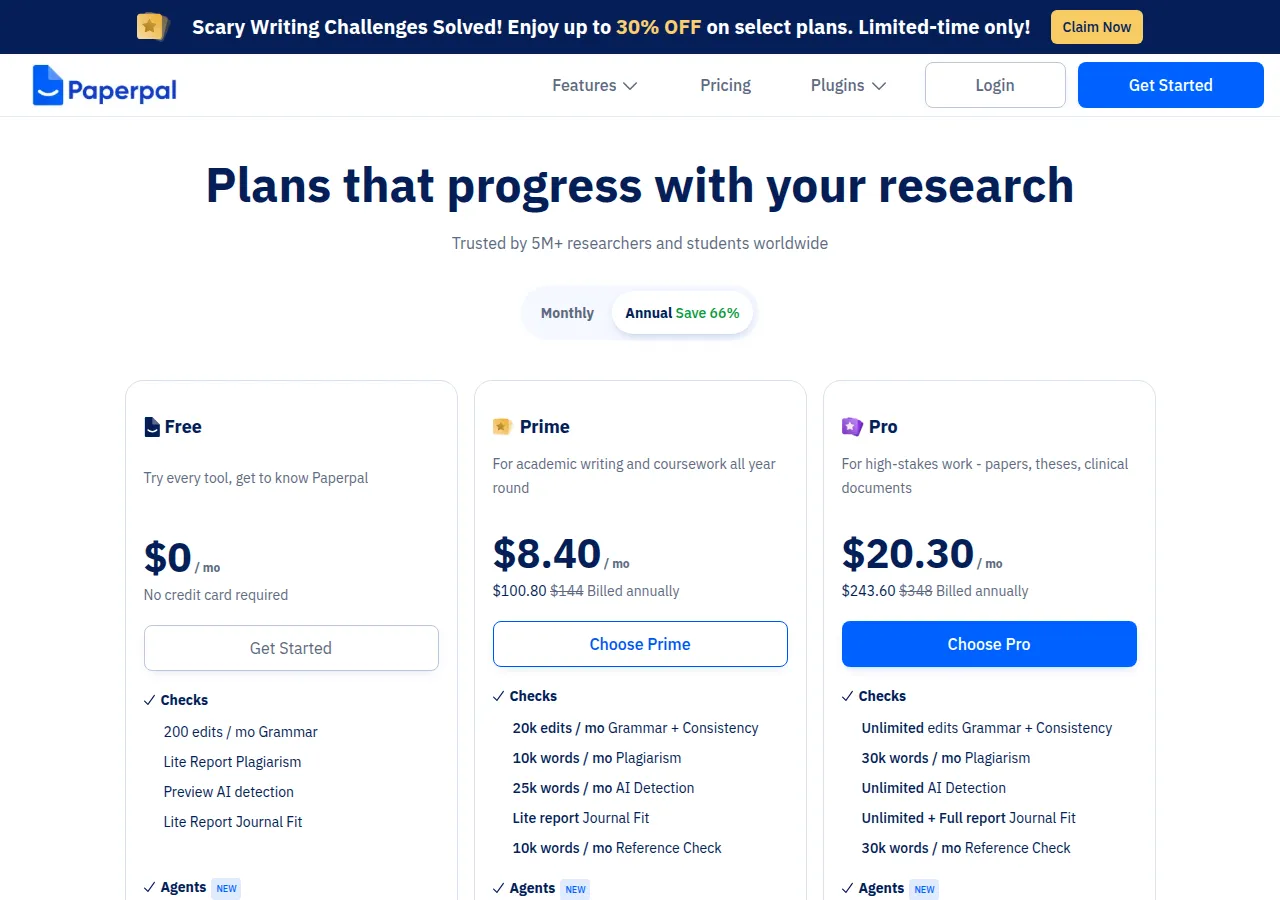
The pricing page has a Monthly tab and an Annual tab. The annual tab is labeled "Save 66%." A banner above the cards said "Enjoy up to 30% OFF on select plans. Limited-time only." The two discounts are both on the page. They are not the same number.
| Plan | Monthly tab | Annual tab | What the card adds over Free |
|---|---|---|---|
| Free | $0 | $0 | 200 grammar edits a month, 5 generative uses a day, 5 research questions a day, 5 PDF chats a month |
| Prime | $25, "Billed monthly" | $8.40 a month, $100.80 billed annually, $144 struck through | 20,000 grammar edits, plagiarism and AI-detection word caps, reference check, 2 GB library |
| Pro | $59, "Billed monthly" | $20.30 a month, $243.60 billed annually, $348 struck through | Unlimited grammar edits and AI detection, higher plagiarism and PDF caps, 10 GB library |
Pricing at a glance
Billed monthlyBilled yearly
- Free200 grammar edits a month; 5 generative uses a dayFree
- PrimeAnnual card also strikes through $144. 2-year $229, 3-year $289$25/mo$8.4/mo
- ProAnnual card also strikes through $348. Unlimited grammar edits$59/mo$20.3/mo
Under the cards, a Prime-only "Multi-year Saver Plan" offers two further prices. Two years is "$9.54 per month" and "Pay $229 once." Three years is "$8.02 per month," "Pay $289 once," and a "Save 4%" label. The line above those cards says the one-time price saves "upto 4%" compared with the annual plan of $100.80. The 2-year card's $9.54 a month is higher than the annual card's $8.40 a month. The 4% line matches the 3-year card ($8.02 against $8.40), not the 2-year card. The note under the cards says the multi-year option is Prime only, not Pro. The FAQ repeats the $229 and $289 totals and also mentions a quarterly plan, student discounts, and team pricing with "up to 25% savings" for groups of 2 to 10 or more. It does not print a quarterly dollar amount or a team dollar amount.
The FAQ says pricing is region-specific. The figures above are what the pricing page showed on this check. Confirm the currency and the total at checkout.
The page also says "100% money back guarantee," "Pause your subscription," and "Cancel anytime." It does not, in the text we read, say how long the guarantee lasts or what pause does to unused quota. Check the vendor site before you rely on either.
Writer's Toolbelt editorial scores
Paperpal scorecard
6.0/10
- Academic language help8/10
- Citations and source chat7/10
- Price clarity5/10
- Submission checks8/10
- Fit for a novel2/10
Strengths
- The free plan is specific. Two hundred language suggestions, five generative uses a day, five research questions a day, and a plagiarism word cap are printed. You can see the ceiling before you pay.
- It sits in the document. Word, Google Docs, and Overleaf are named on the pricing page, so the check can happen where the draft already is.
- Training is addressed on the product pages. The home FAQ says Paperpal never uses your content to train its models. The data-security page says the same thing for every plan, including Free, and that you can delete documents you created or uploaded. The FAQ also says you own the copyright in content you produce using Paperpal.
- Citation styles and a reference check are the part a general grammar tool usually does not do. Reference checking is the Prime line, not the free line.
Weaknesses
- The price is told several ways. Monthly, annual, a struck-through annual figure, a 66% tab label, a 30% banner, and a multi-year block whose 2-year monthly rate is higher than the annual monthly rate. The FAQ adds that the price depends on the region. Read the card that matches the toggle you are on.
- Two source counts. The home page says 300 million-plus research articles. The free-plan FAQ says 250 million-plus sources. Both are vendor figures.
- Pro's "unlimited" agents are labeled a promotional period. The card does not say when that period ends.
- Not a book tool. There is no manuscript structure for fiction, and the plagiarism and AI-detection scans are the wrong instrument for a novel's voice.
How it compares
- Paperpal vs Grammarly. Grammarly is the always-on checker for email and general prose, with a Pro price the plans page shows as $12 and does not label monthly or yearly. Paperpal's free cap is 200 academic language suggestions a month, and its paid plans add plagiarism words, reference checks, and PDF chat. See the Grammarly review.
- Paperpal vs Jenni. Jenni is the other academic drafting assistant in this directory, aimed at essays and citations inside its own editor. Paperpal's pitch is the same job inside Word, Docs, and Overleaf, plus a submission-readiness report. See the Jenni review.
- Paperpal vs Elicit. Elicit searches a paper index and extracts tables for a literature review. Paperpal will chat with PDFs you upload and draft in the document. They overlap on "find a source," and they do not replace each other. See the Elicit review.
- Paperpal vs QuillBot. QuillBot is a paraphraser and grammar tool with a student audience. Paperpal's paraphraser is one button inside a larger submission checklist. See the QuillBot review.
Feature comparison
Grammar and rewriting tools compared
| Feature | Grammarly | ProWritingAid | LanguageTool | QuillBot | Wordtune | Paperpal |
|---|---|---|---|---|---|---|
| Free plan | Yes | Yes | Yes | Yes | Yes | Yes |
| Lowest listed paid price | Yes$12 | Yes$10 | Yes$4.99 | Yes$8.33 | Yes$6.99 | Yes$8.40/mo annual ($25 monthly) |
| All paid tiers have published prices | PartlySome tiers: contact sales or check vendor site | Yes | Yes | PartlySome tiers: contact sales or check vendor site | Yes | PartlyQuarterly and team prices are not printed. The FAQ says prices are region-specific. |
| Competes with ProseEngine (we disclose) | No | Yes | No | No | No | No |
Verdict
Paperpal is a real academic writing product with a free tier you can measure and a paid tier that adds the checks journals actually ask about: plagiarism words, reference errors, and a submission summary. The annual Prime card, at $8.40 a month or $100.80 a year on this check, is the price to compare with a general grammar subscription. The monthly Prime card was $25, and Pro was $59 monthly or $20.30 a month billed annually.
Use the free plan on a page you are willing to judge. If the suggestions sand your sentences into generic academic English, that is the product working as advertised, and it is also the reason not to accept every edit. Confirm the regional price before you take the annual plan, and do not treat the 2-year $229 block as cheaper per month than the annual card. It is not, on the numbers the page printed.
Noted on 26 October 2026
The data-security page says documents, uploads, and personal information are never used to train models, on Free as well as paid plans, and that data is encrypted in transit and at rest. The company privacy policy is Cactus Communications' policy (https://cactusglobal.com/privacy-policy/). That policy does not discuss model training. It says personal information is kept while an account is active, or as needed to provide the service or to meet a legal obligation. "Training" in that policy refers to recording calls for staff training, which is a different sentence.
FAQ
Is Paperpal free? Yes. The pricing card is $0 and says no credit card is required. The home FAQ lists 200 language suggestions a month, 5 generative uses a day, 5 research uses a day, and 5 PDF chats a month, among other caps.
How much is Paperpal Prime? On 26 October 2026 the monthly tab showed $25, billed monthly. The annual tab showed $8.40 a month, $100.80 billed annually, with $144 struck through. A 2-year option was $229 once, and a 3-year option was $289 once. The FAQ says prices are region-specific.
Does Paperpal train on my manuscript? The home FAQ and the data-security page say no, including on the free plan. The company privacy policy does not discuss model training.
Who owns the text? The home FAQ says you own the copyright in content you produce using Paperpal.
Does it work in Word and Overleaf? The pricing page lists a Microsoft Word add-in, and Chrome and Edge extensions that support Google Docs and Overleaf. There is also a web app.
Free guide
The 10 best free AI tools for writers
Join the Writer's Toolbelt newsletter for a short note when the shelves change, and get the free PDF guide.
Nearby on the shelf
Editing
AutoCrit
Fiction editing reports for dialogue, pacing, repetition, and overused phrasing, plus a story analyzer and AI alpha and beta readers you can steer with instructions. Pro also includes Market Fuel for promotional angles. The reports compare your draft with genre tendencies, which is a clue, not a verdict. It will not write the book for you.
Best for Novelists who want genre-aware notes on a complete draft, not a chatbot that continues the scene.
SubscriptionFictionDrafting
Claude
A general assistant that writers often prefer for long passages, tone, and a calmer revision pass. Projects can hold notes and chapters you upload. It is still a chat, not a novel app: continuity across a whole book is only as good as the pages you put in front of it.
Best for Drafting and revision when you want a careful reader more than a plot machine.
FreemiumFiction and nonfictionEditing
DeepL Write
Rewrite suggestions from the company behind DeepL translation. It is aimed at clearer phrasing, not plot. Particularly useful if you draft between languages or want a second wording that is conservative rather than clever. It will happily smooth a sentence that was supposed to be sharp.
Best for Nonfiction clarity, and writers moving between languages who want phrasing help rather than a story engine.
FreemiumNonfiction